Customer Support
service hotcoin.com
Product Feedback
producthotcoin.com
Business Inquiries
businesshotcoin.com
Law Enforcement
casecnhotcoin.com
About
Services
Support
© 2017-2026 Australian Hotcoin Global Exchange Pty Ltd
servicehotcoin.com
producthotcoin.com
businesshotcoin.com
casecnhotcoin.com
A withdrawal address is a blockchain address used to receive digital assets during a withdrawal. To enhance asset security, you can save frequently used withdrawal addresses for quick selection during future withdrawals. This article explains how to add and manage (edit or delete) withdrawal addresses on the App and introduces related security settings.
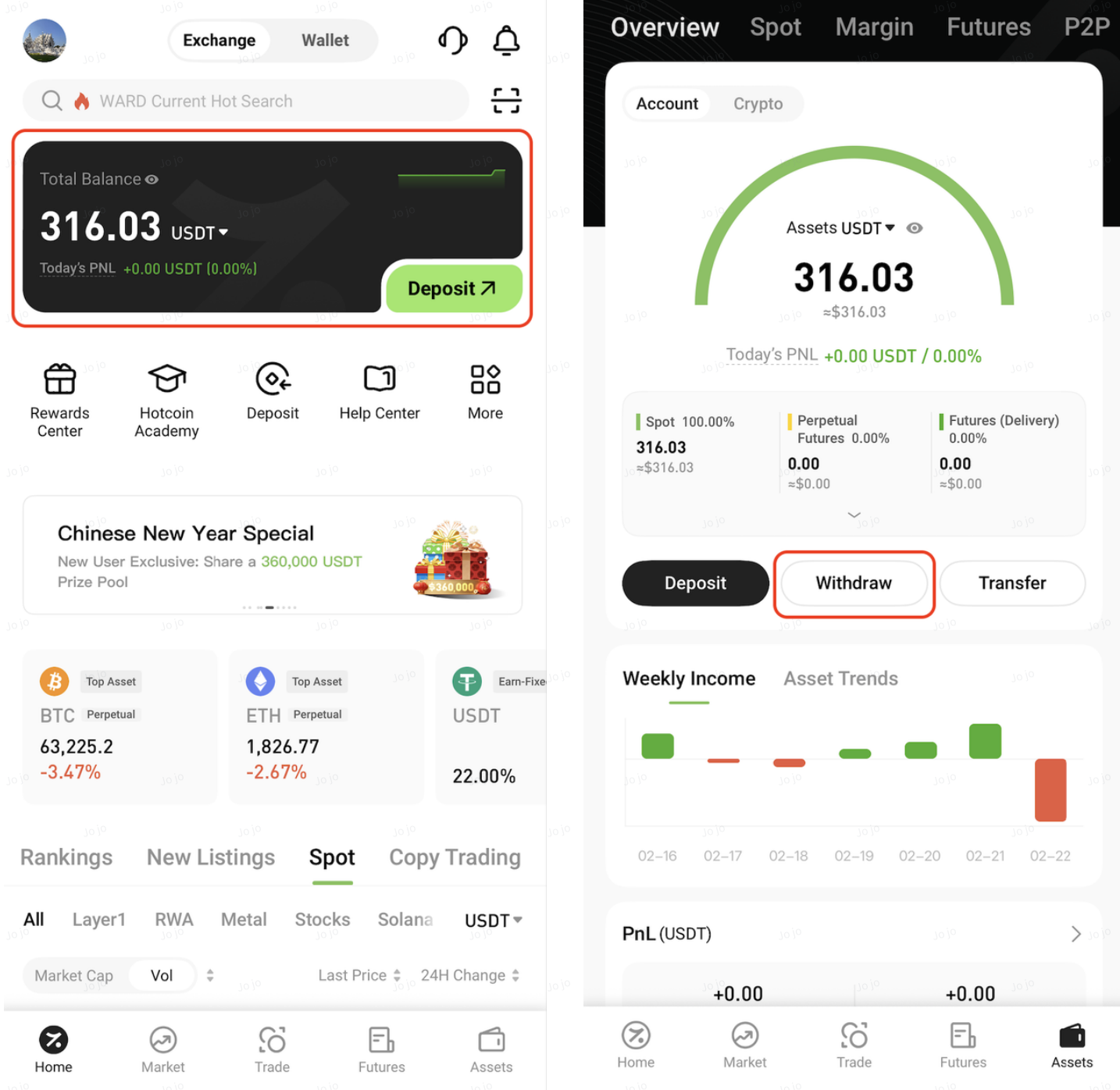
1. Open the Hotcoin App. On the homepage, tap Total Assets at the top, then go to Asset Overview → Withdraw
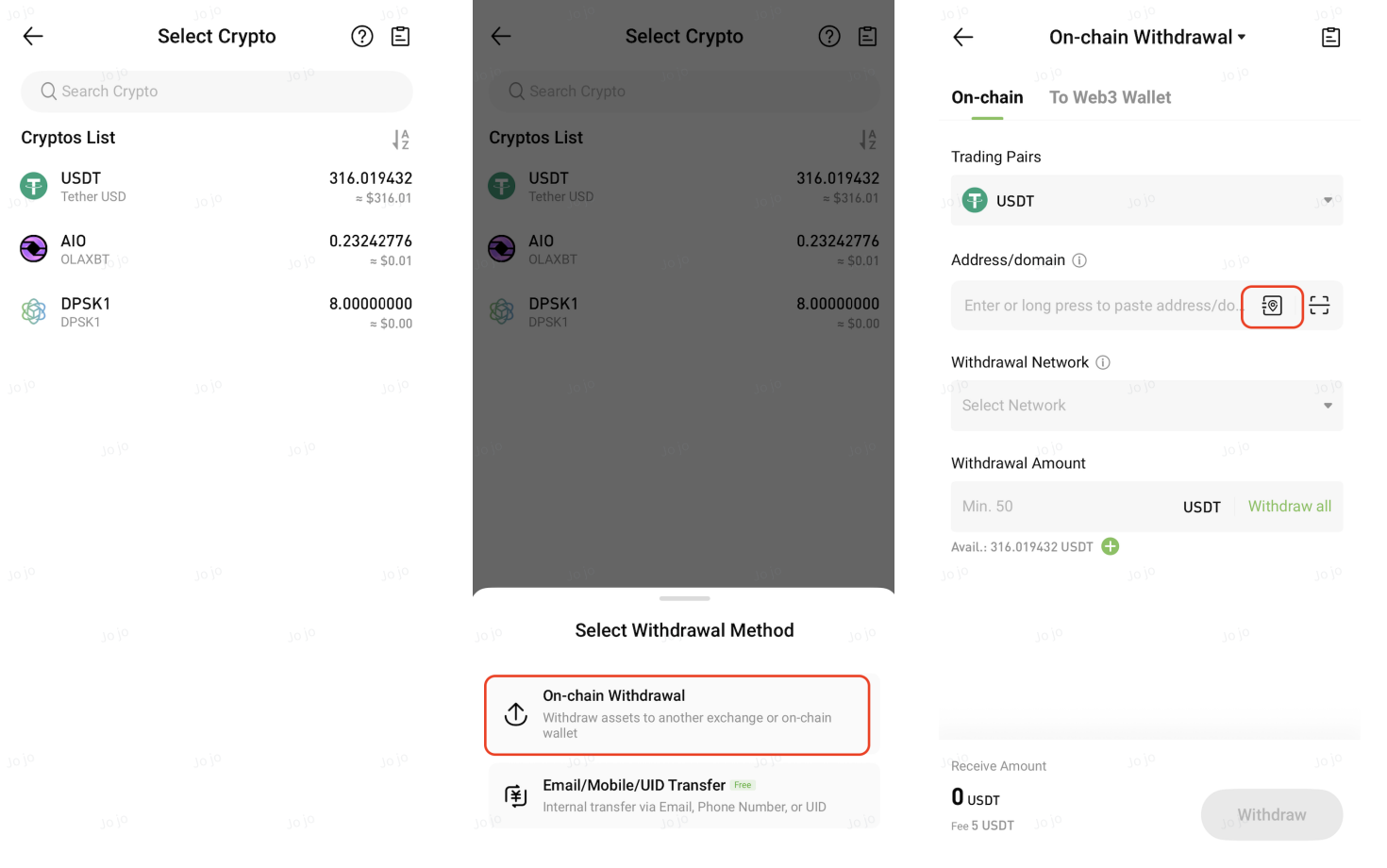
2. On the Select Crypto page, choose the crypto you wish to withdraw. In the pop-up window, select On-chain Withdrawal. On the On-chain Withdrawal page, tap the Address Book icon on the right side of the Address/Domain input field
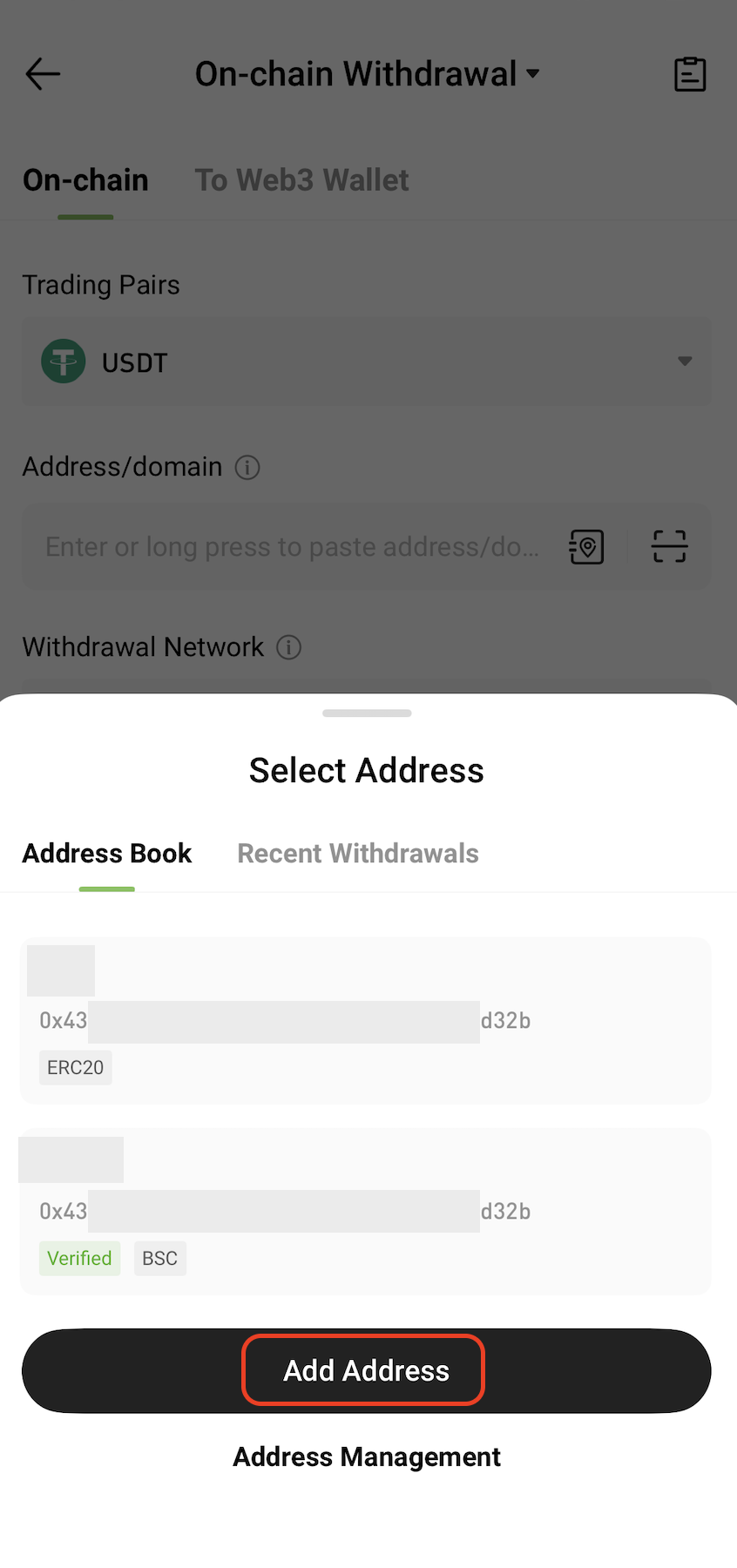
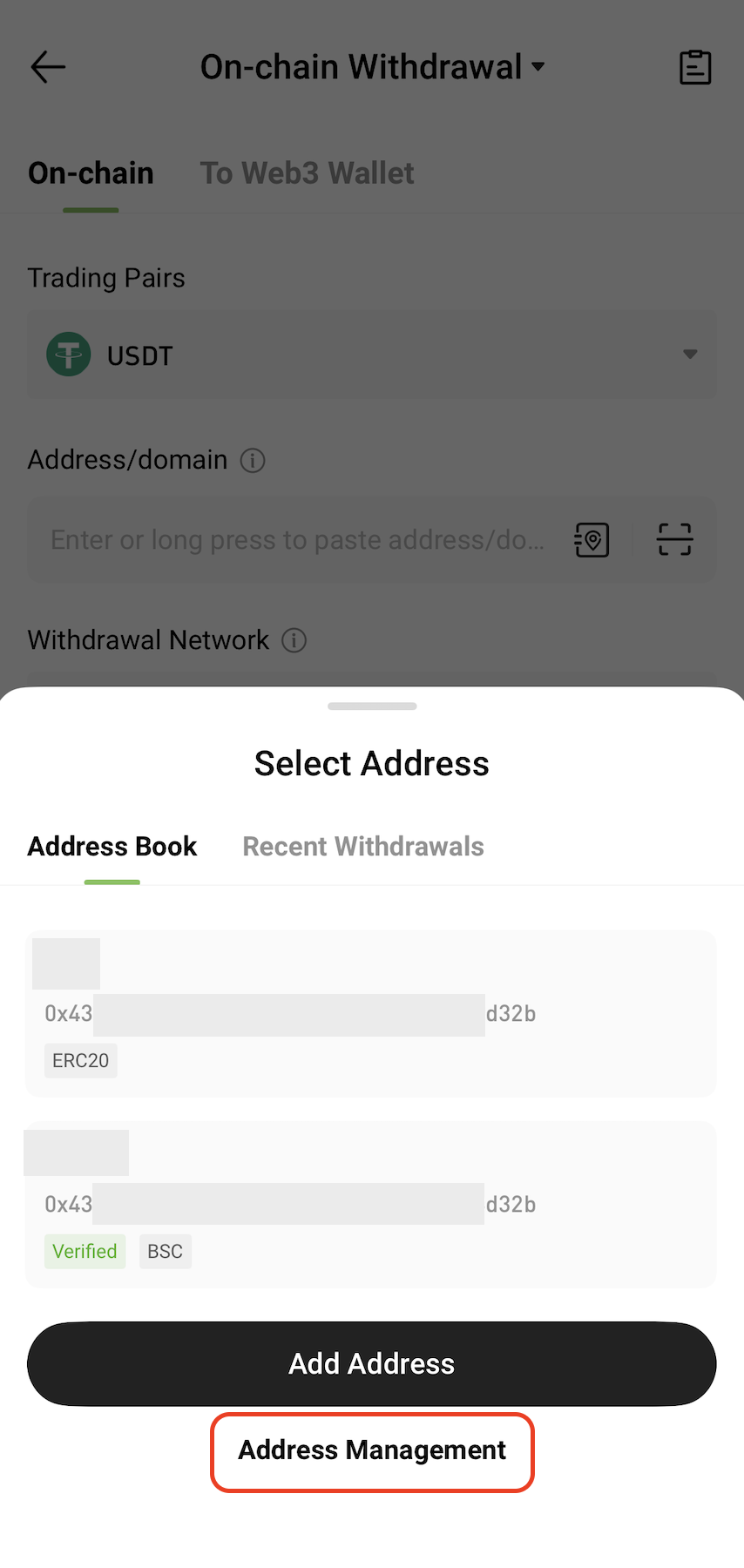
3. In the Select Address pop-up window, click Add Address
4. On the Add Address window, fill in the following information:
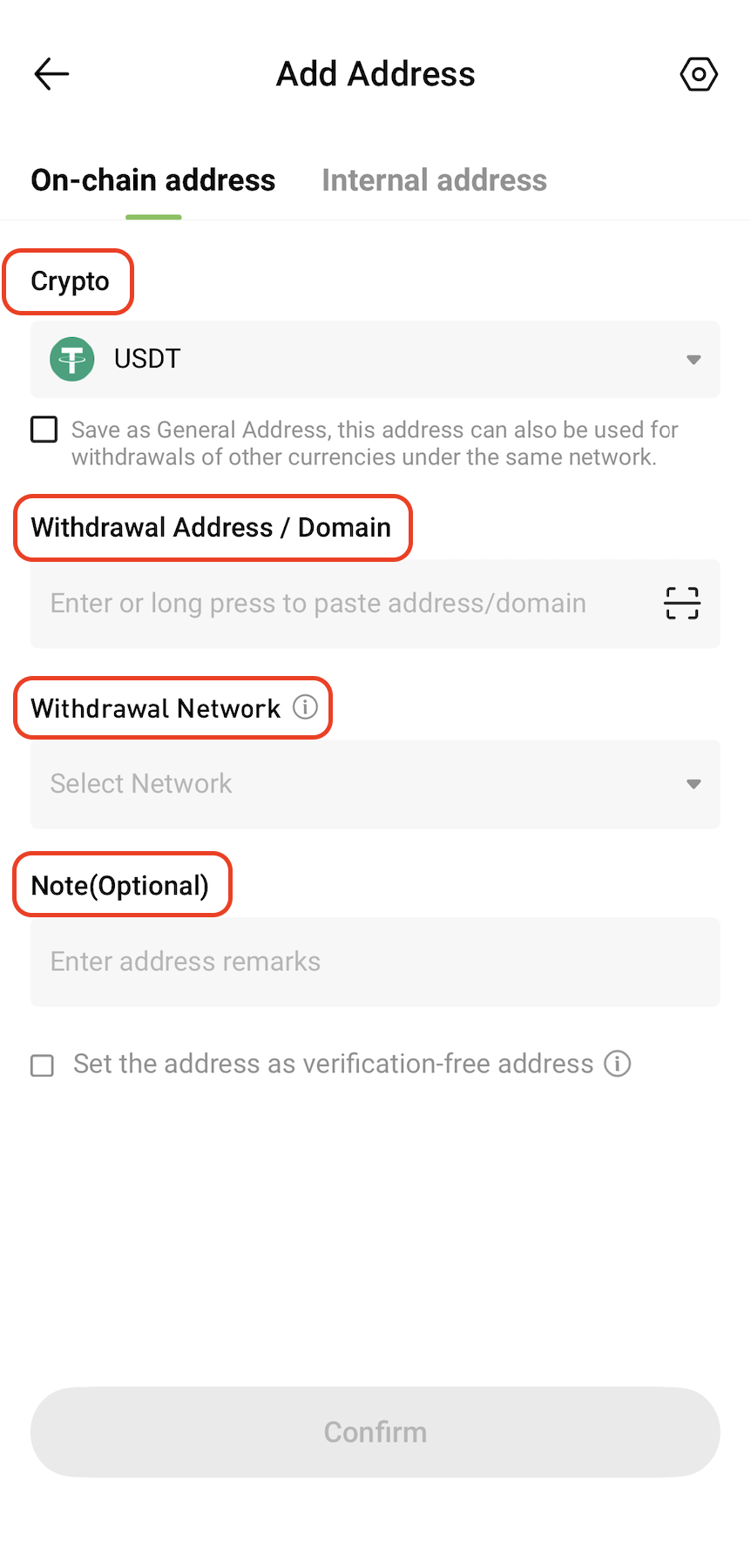
Option Notes:
5. Complete the required security verification as prompted (e.g., SMS, Email, or Google Authenticator)
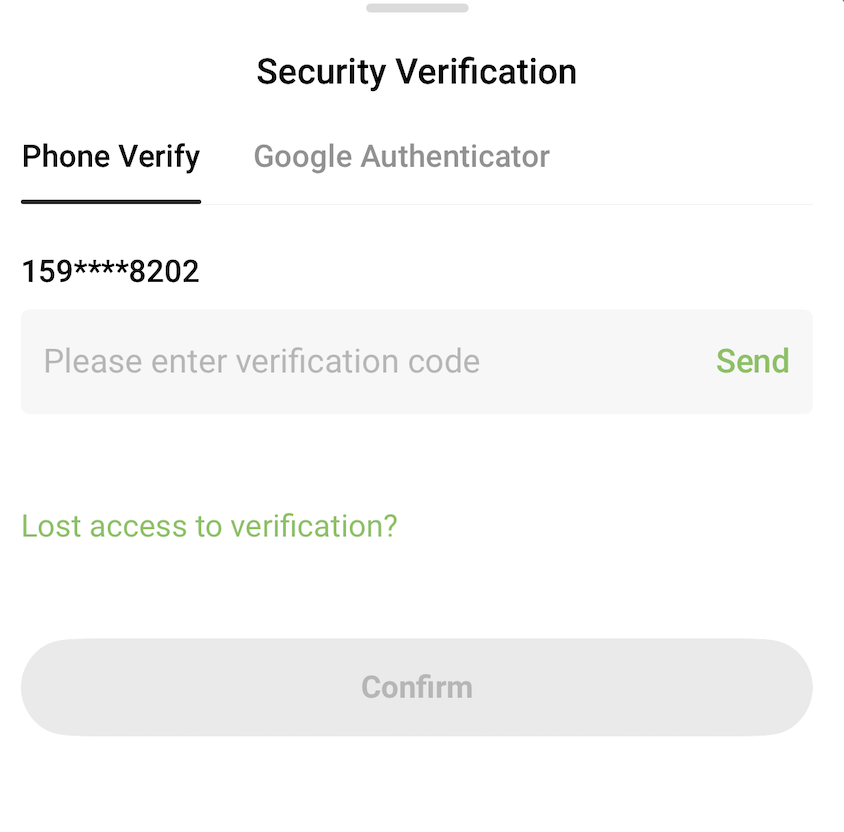
6. After submission, the new address will be saved to your Address Book. You can view and manage it on the Manage Withdrawal Addresses page.
1. In the Select Address pop-up (Step 3 above), tap Address Management to enter the Withdrawal Address Management page
2. On the Withdrawal Address Management page, you can:
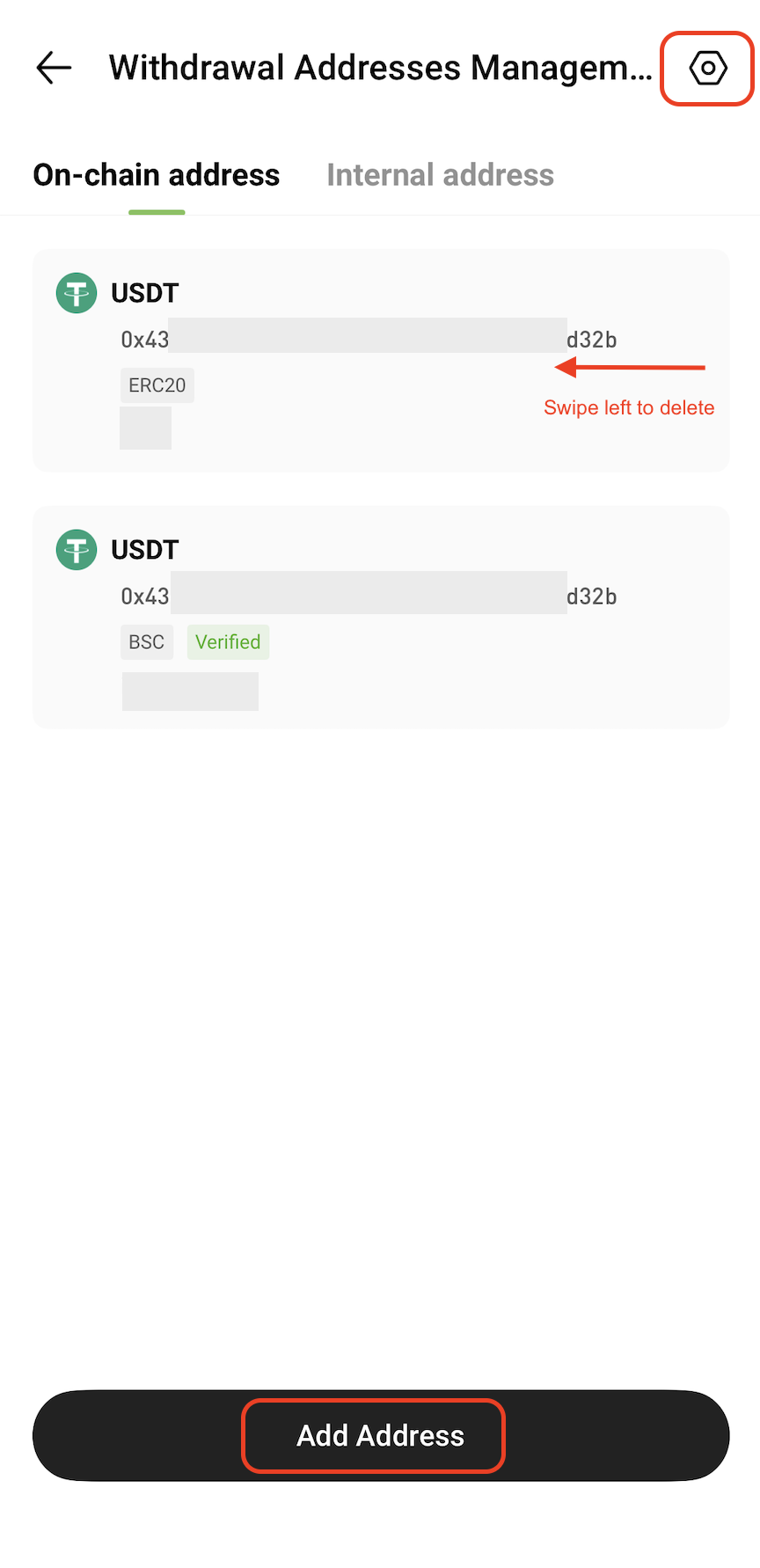
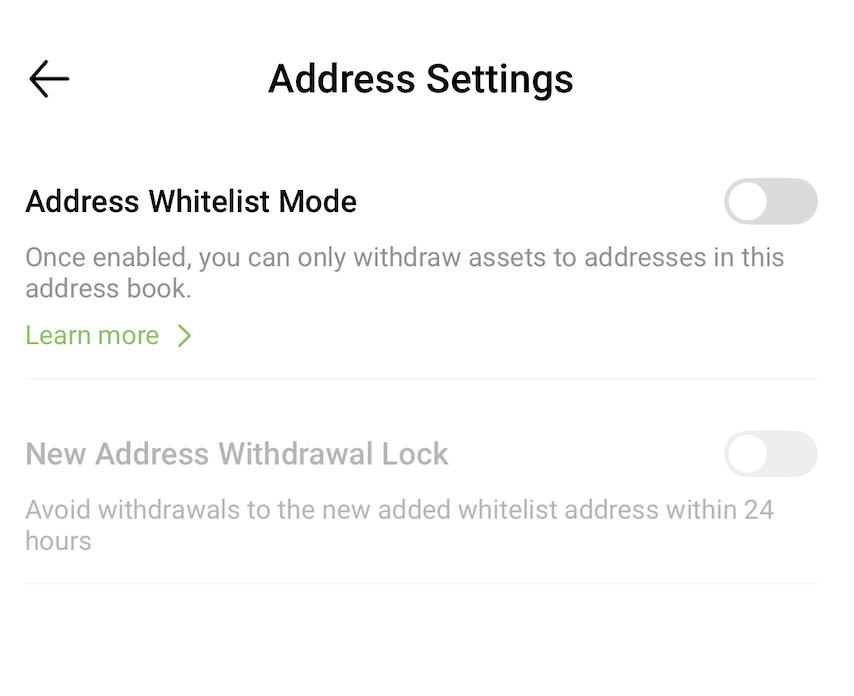
3. On the Address Settings page, you can configure the following security settings: